

Print free maps large or small; from 1 page to almost 7 feet across; PC or Mac. For classroom and student use. MegaMaps requires Adobe Flash. Free online software—no downloading or installation.
Print out maps in a variety of sizes, from a single sheet of paper to a map almost 7 feet across, using an ordinary printer. You can print single page maps, or maps 2 pages by 2 pages, 3 pages by 3 pages, etc. up to 8 pages by 8 pages (64 sheets of paper; over six feet across!).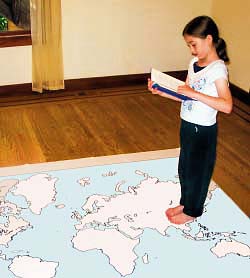
Walk Through The Continents
We have 11 different Megamaps Collections for you to print:

United States Maps
US maps and maps of all of the US States


Maps of Europe
Maps of Europe and European Countries

Maps of South America
Maps of South America and South American Countries

Maps of Asia
Maps of Asia and Asian Countries
Maps of Middle East
The Middle East and Middle Eastern Countries


Maps of North America
Maps of North America and North American Countries
Maps of Central America
Maps of Central America and Central American Countries

Trace car trips; where grandparents and aunts and uncles
and cousins live; the Oregon Trail and the Cumberland Gap; Huck Finn's journey;
the Rocky Mountains, the Appalachians, the Mississippi River, the Columbia
River and the Colorado, label states… There are any number of ways
to use these maps. They can be large enough to see clearly from across
the room, and to contain many different types of information.
After printing the map pages lay them out to determine the proper order. A one page map may help. Starting at the upper left corner (the northwest corner), trim the pages on the right and bottom edges. Be sure not to trim the bottom edges of the bottom row of the map or the right edges of the right column. Take the upper left corner sheet and overlap it onto the sheet to its right. Tape them and then continue across to complete the top row. Add rows one at a time.
Maps are a fundamental teaching tool. “Where” makes the lesson real and puts it into context. Too often maps for classroom use are too expensive for direct contact with students, let alone being personalized by learning activities. Free maps that can be used by students bring map activities to life. Large wall maps created by the class and individual maps created by each student increase learning, enliven the classroom and show parents the student’s progress.
These free maps are great
for use in the classroom because they can be easily printed in a range of
sizes for different purposes, and because the students can write, draw,
and mark on their own copies of them.
• Print out a large map for the front of the classroom, for the teacher to explain the material on, and a single page map for each student to show what they have learned.
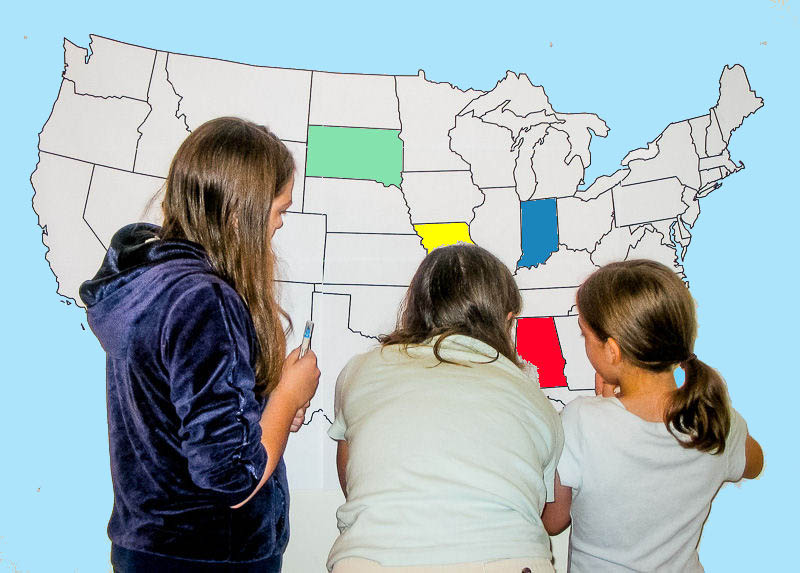 • Print out a multi-page map of the US
or the world, and have groups of students assemble it together, like a puzzle.
This is great for learning where places are in relation to each other.
• Print out a multi-page map of the US
or the world, and have groups of students assemble it together, like a puzzle.
This is great for learning where places are in relation to each other.
• Use Printable maps of the all of the United States to teach the geography and history of each state. State maps are made to print on color or black and white printers. Maps print full size automatically with any computer printer.
• Outline maps can be made to show political, environmental, physical, economic and historical information. Make multiple copies of a map, and students can show different features of the place on the map—historical events, physical/geologic features, land use—urban, farm, suburban, etc. political—states, borders, capitals, family histories, wildlife, habitat, types of environment—grassland, forest, agriculture, changes in one place over time and many more.
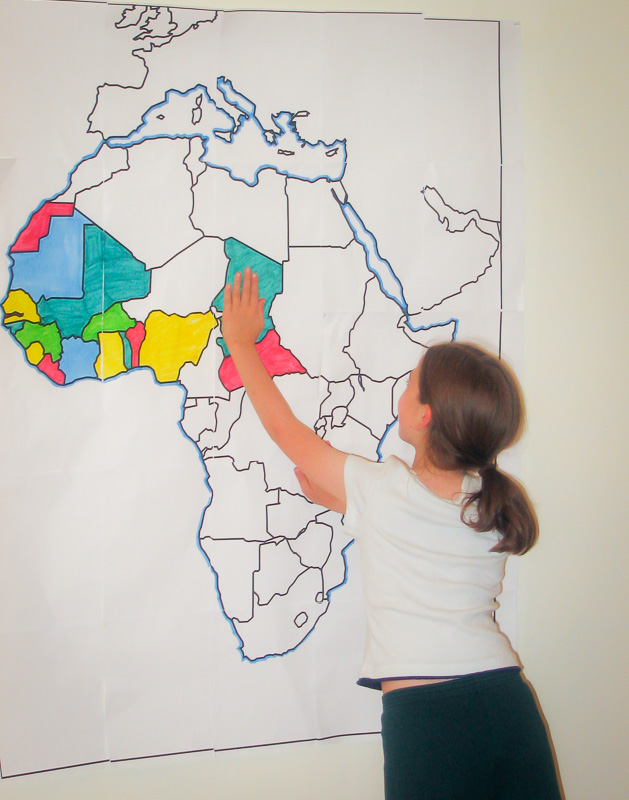 By coloring and writing on
the map, students make it “their own”. Map work moves from rote to fun.
The larger map format not only allows more detail because of its larger
scale, it also makes it easy for several student to work together on one
map. Students can each have a small map, while the teacher explains material
on a larger map at the front. Maps to complement a variety of lessons. Have
your students learn WHERE it happened.
By coloring and writing on
the map, students make it “their own”. Map work moves from rote to fun.
The larger map format not only allows more detail because of its larger
scale, it also makes it easy for several student to work together on one
map. Students can each have a small map, while the teacher explains material
on a larger map at the front. Maps to complement a variety of lessons. Have
your students learn WHERE it happened.
As the maps all have different proportions, these are the maximum sizes. The printed map will usually be smaller in one dimension.
After printing the map pages lay them out to determine the proper order. A one page map may help. Starting at the upper left corner (the northwest corner), trim the pages on the right and bottom edges. Be sure not to trim the bottom edges of the bottom row of the map or the right edges of the right column. Take the upper left corner sheet and overlap it onto the sheet to its right. Tape them and then continue across to complete the top row. Add rows one at a time.
Maps are a fundamental teaching tool. “Where” makes the lesson real and puts it into context. Too often maps for classroom use are too expensive for direct contact with students, let alone being personalized by learning activities. Free maps that can be used by students bring map activities to life. Large wall maps created by the class and individual maps created by each student increase learning, enliven the classroom and show parents the student’s progress.
• Print out a large map for the front of the classroom, for the teacher to explain the material on, and a single page map for each student to show what they have learned.
• Use Printable maps of the all of the United States to teach the geography and history of each state. State maps are made to print on color or black and white printers. Maps print full size automatically with any computer printer.
• Outline maps can be made to show political, environmental, physical, economic and historical information. Make multiple copies of a map, and students can show different features of the place on the map—historical events, physical/geologic features, land use—urban, farm, suburban, etc. political—states, borders, capitals, family histories, wildlife, habitat, types of environment—grassland, forest, agriculture, changes in one place over time and many more.
MegaMaps Map Sizes:
As the maps all have different proportions, these are the maximum sizes. The printed map will usually be smaller in one dimension.
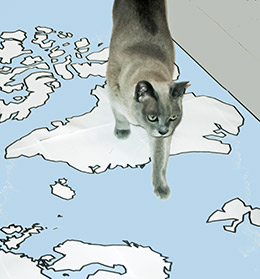
Stalk Through The Continents